
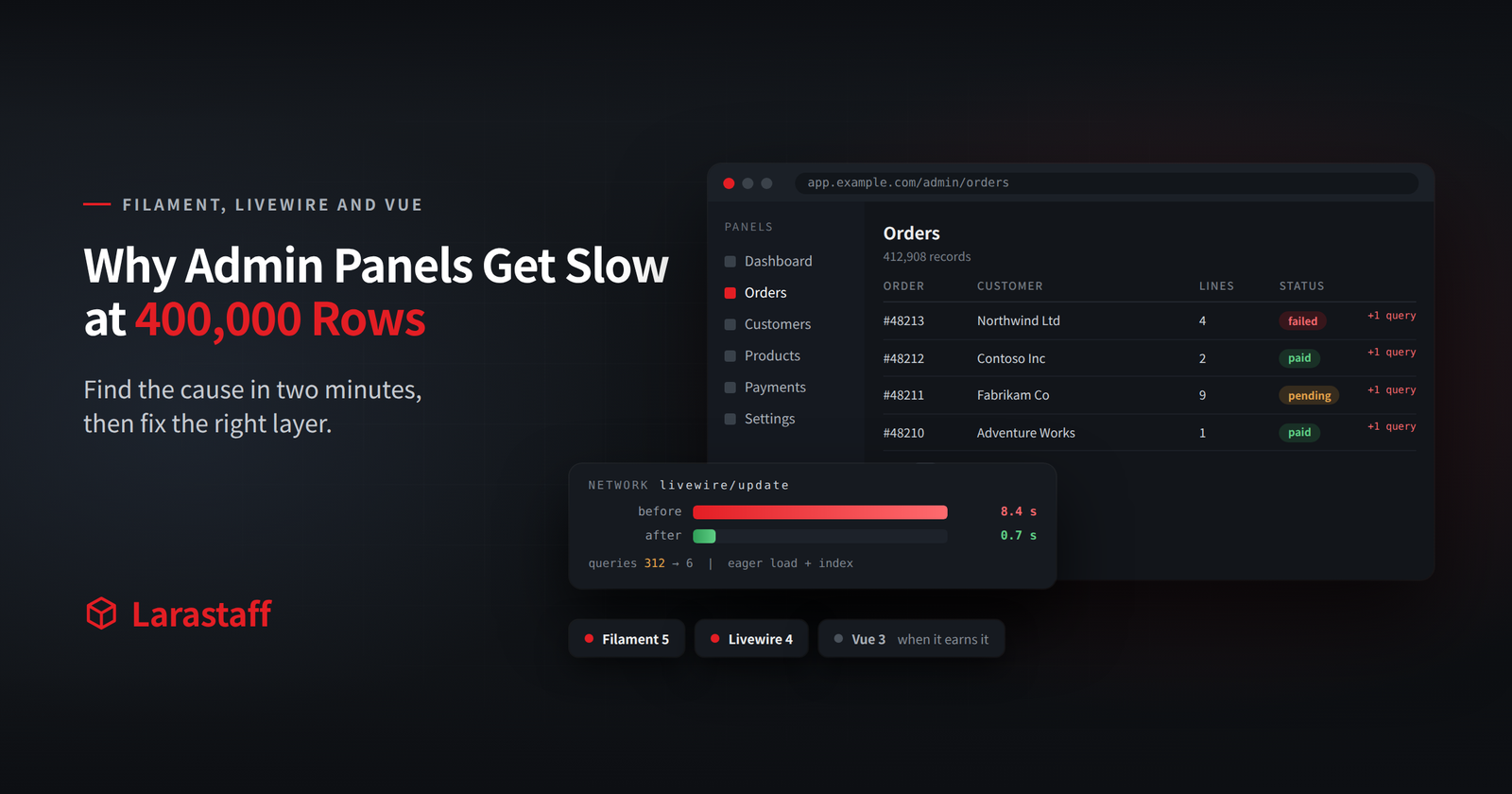
Your Filament panel loads in 200ms on your machine. For the customer with 400,000 orders, it takes eight seconds.
Nothing in the code changed. The table grew.
And that slow page isn’t just a developer annoyance. Your support and operations staff live in that panel all day. Eight seconds per page, across a team, adds up to hours of paid time every week, spent waiting.
Here’s what makes slow panels frustrating: there are three different causes, in three different layers. The queries Filament builds. The re-render cost Livewire pays on every click. And the network round trip that no server-rendered framework can avoid.
Each one has its own fix. Apply the wrong fix, and your team spends a sprint and gains nothing. I’ve watched that happen, and it’s avoidable.
So this guide starts with a two-minute check that tells you which layer you’re dealing with. Then it fixes each one.
1. Check Your Versions First
A lot of Filament and Livewire performance advice online was written for Livewire 2. Some of it isn’t just old. It’s wrong now.
Start here:
composer show livewire/livewire filament/filament | grep versions
Here’s where things stand:
| Package | Current | What matters for performance |
| Livewire | 4.x (January 2026) | Islands, async actions, deferred loading, parallel live updates |
| Filament | 5.x (January 2026) | Livewire 4 support. Same features as Filament 4, no breaking changes to forms, tables, or resources |
One piece of old advice to stop repeating: wire:model.defer. That’s Livewire 2 syntax. Since Livewire 3, plain wire:model is already deferred. It syncs when an action runs, not on every keystroke.
So if you see .defer in your code, or in an article, it predates Livewire 3. For a search box, the modifier you actually want is wire:model.live.debounce.400ms.
What about upgrading to Filament 5? It’s one of the cheapest upgrades I’ve seen. There’s an upgrade script, and standard panels need no manual steps. The only real work is on older projects. Jumping from Filament 3 with a custom theme? That theme needs moving to Tailwind 4.
2. Find the Cause Before You Change Anything
Here’s the uncomfortable truth: every fix in this post is the wrong fix for most slow panels. So measure first.
Add this to AppServiceProvider::boot(), for local and staging only:
if (! app()->isProduction()) {
    DB::listen(function (QueryExecuted $query) {
        Log::channel('single')->info('query', [
            'sql' => $query->sql,
            'time' => $query->time,
        ]);
    });
}
Load the slow page once. Then count:
grep -c '"sql"' storage/logs/laravel.log
Now match what you see:
| What you see | Likely cause | Section |
| Hundreds of near-identical queries | N+1 in a table column or a badge | 3 |
| A handful of queries, one of them slow | Missing index, or a COUNT over a huge table | 4 |
| Few queries, but every click is slow | Whole-component re-render, or a huge payload | 5 |
| Fast first load, slow after every keystroke | A live search with no debounce | 5 |
There’s a catch with Filament. Your panel pages are Livewire components, so Debugbar won’t show the follow-up requests.
Open the browser’s network tab instead, and filter on update. Livewire 4 sends updates as a POST to /livewire-{hash}/update, and that’s where the timing lives. That hash is new in Livewire 4, by the way. If your firewall, CDN, or middleware rules still match /livewire/, they quietly stopped matching after the upgrade.
3. The N+1 Hiding in Your Columns
The classic Filament N+1 isn’t in your query. It’s in a column.
TextColumn::make('customer.company.name'),
TextColumn::make('lines_count')->counts('lines'),
TextColumn::make('status')
    ->badge()
    ->color(fn (Order $record) => $record->latestPayment?->failed ? 'danger' : 'success'),
The first two columns are fine. Filament eager-loads relationship columns and count columns for you.
The badge is the problem. Filament can’t see what you reach for inside a closure. With 50 rows on a page, that latestPayment call runs 50 extra queries.
Fix it on the query, not the column:
public static function table(Table $table): Table
{
    return $table
        ->modifyQueryUsing(fn (Builder $query) => $query->with([
            'customer.company:id,name',
            'latestPayment:id,order_id,failed',
        ]))
        ->columns([/* ... */]);
}
Why modifyQueryUsing() on the table, and not getEloquentQuery() on the resource? Because getEloquentQuery() applies everywhere the resource is used. That includes the edit page and relation managers, where the eager load is wasted work.
Want to catch the next one automatically? Turn lazy loading into an exception in development. Our Laravel performance guide has the setup, and it works the same inside a panel.
One piece of advice I’d skip: “select only the columns you need” on the whole resource. Narrow the resource query to select(‘id’, ‘name’, ’email’), and you break edit forms, actions, and anything that reads a column you left out. Worse, the errors show up later, somewhere else in the panel.
Narrow the eager loads instead, like the example above. The scope is obvious there.
4. When One Query Is the Whole Problem
Got your query count down, but the page is still slow? Then one query is usually doing the damage. I see two culprits again and again.
The pagination count
Filament runs a COUNT(*) over your filtered query to build the page links. On a few million rows, with a filter that can’t use an index, that count can take longer than fetching the page itself.
Do your users page through a list, instead of jumping to page 47? Then drop the count:
use Filament\Tables\Enums\PaginationMode;

return $table->paginationMode(PaginationMode::Simple);
Simple pagination shows only previous and next, and skips the count. PaginationMode::Cursor goes further for very long lists, and stays fast however deep you scroll.
Search on columns with no index
Filament’s global search runs LIKE ‘%term%’ across every column you marked searchable(). A leading wildcard can’t use a normal index, so each search is a full table scan.
Here are your options, easiest first:
- Mark fewer columns searchable. Most panels have one or two columns anyone actually searches by.
- Use searchable(isIndividual: true) so each column gets its own search box, instead of one search across all of them.
- For really large tables, use Laravel Scout. Override applySearchToTableQuery() and filter with whereIn(‘id’, Model::search($term)->keys()).
Confirm before you add an index
Don’t guess. Check the plan:
EXPLAIN SELECT * FROM orders WHERE status = 'pending' ORDER BY created_at DESC LIMIT 50;
If type is ALL and rows is in the hundreds of thousands, you’re scanning the table. If it already says ref or range, the index isn’t your bottleneck. Adding another one won’t help.
And for a table that’s slow no matter what? deferLoading() renders the page first and fetches rows in a second request. It doesn’t make anything faster. It just makes the panel usable while you fix the real cause. Fine as a stopgap. Bad as a permanent answer.
5. Re-render Cost, and What Livewire 4 Changed
Low query count, but every click still takes 400ms? Then you’re paying for rendering.
Here’s why. A Livewire component re-renders its whole template on every request. Click one widget on a dashboard with six, and all six re-render.
Islands: update one part, not the whole page
Livewire 4 fixed this head on. An island is a small region inside a component that updates on its own:
<div>
    @island(name: 'revenue', lazy: true)
        @placeholder
            <div class="h-32 animate-pulse rounded bg-gray-200"></div>
        @endplaceholder

        <div>
            Revenue: {{ $this->revenue }}
            <button type="button" wire:click="$refresh">Refresh</button>
        </div>
    @endisland

    {{-- The rest of the dashboard doesn't re-render when revenue refreshes --}}
</div>
Click refresh, and only the revenue box re-renders. Nice.
Two gotchas, though. Islands can’t go inside @foreach or @if, so put the loop inside the island instead. And if an island and the full component both change the same property at the same time, the last response wins. Fine for separate widgets. Not fine for a shared filter.
Quick wins that cut render cost
These are cheap, and I reach for them first:
- Put queries in computed properties, not render(). A #[Computed] method runs only when the template reads it. Inside a lazy island, it doesn’t run until the island loads.
- Mark tracking actions as renderless. Logging an export doesn’t need a re-render: wire:click.renderless=”trackExport”.
- Use .async for slow side actions. wire:click.async=”logActivity” runs in parallel instead of blocking the next click.
- Always add wire:key in loops. Livewire 4’s smart keys help with nested components, but not with loops. Skip the key, and the wrong row updates after a delete. It looks like a data bug. It isn’t.
The report that only broke in production
Sometimes it’s not rendering at all. It’s how much data Livewire carries back and forth.
Here’s a real one. A client’s reports page loaded its entire result set into a public Livewire property, then paged through it in the browser with Alpine.
Locally? Fine. On staging and production, any wide date range threw “Error while loading page”.
That difference was the clue. Laravel Sail runs with no memory limit. The real servers had the usual defaults: 128MB of memory, 30 seconds, and a 1MB request body.
So we measured one section, over one year, about 6,400 rows:
- Queries: 2.1 seconds. Not bad.
- Memory: up 112MB.
- Livewire snapshot: 1.78MB, sent back to the server on every single click.
The client didn’t want to touch their servers, so the code had to fit. Totals moved into the database with COUNT and SUM. Rows got paged on the server, 25 at a time. The CSV export was streamed instead of built in memory.
After the fix:
- Peak memory: 78.5MB, safely under 128MB.
- Response time: 0.53 seconds.
- Snapshot: 7KB.
Best part? Every output value matched the old code byte for byte. That’s what made it safe to ship.
My rule since then: never put a whole result set in a public Livewire property. It rides along on every request.
6. When the Round Trip Is the Real Problem
So far, every fix has been on the server. Sometimes the server isn’t the problem, and no amount of eager loading or islands will help.
You’ve probably heard the rule: “Livewire for admin, Vue for the public site.” It’s often right. But it’s right for the wrong reason, so it breaks at the edges.
Here’s the question I’d ask instead. Does this interaction need to respond faster than a network round trip?
Think about what a Livewire click actually does. It sends a POST, reads the database, renders, and sends a response back. In your office, that’s about 30ms. Feels instant. For a user in Sydney hitting a server in Virginia, it’s 300ms before your code even starts.
So decide one interaction at a time:
| Interaction | Round trip OK? | Use |
| Admin CRUD, filters, bulk actions | Yes | Livewire or Filament |
| Multi-step form with server validation | Yes | Livewire |
| Drag-and-drop reordering | Borderline | Livewire’s wire:sort covers the common case |
| Canvas, map, or chart with live panning | No | Vue or Alpine |
| Offline or patchy connection | No | Vue |
| Rich text or code editor | No | A JS library, wrapped in wire:ignore |
| Real-time dashboard for a global team | Depends | Measure latency first |
You can mix them
The good news: you don’t have to pick one framework for the whole app.
Need a fancy chart on one page? Mount a Vue component inside the Livewire page with wire:ignore, and Livewire leaves it alone. For smaller things, Alpine usually does the job with no build step at all.
Just be deliberate about state. Livewire can’t see anything inside wire:ignore. So pass props in when the Vue component mounts, and send changes back with a Livewire event. Skip that, and you’ll end up with two copies of the same data slowly drifting apart.
The modal that hung forever
Third-party scripts are where mixing gets tricky. We learned this one the hard way.
A client’s subscriptions page had a “Change Card” modal. It used Authorize.Net’s Accept.js to handle the card. On the storefront, it worked perfectly. In the admin panel, the Save button sat on “Saving…” forever. No request. Nothing in the logs.
Here’s what was going on. A plain <script src> only runs on a full page load. When a modal arrives through a Livewire update, that script never loads. So Accept didn’t exist at all.
The fix was Livewire’s @assets directive. It loads the script into the page head before the component shows up. We also added a typeof Accept === ‘undefined’ check, so a failed load shows an error instead of an endless spinner.
So if something works on your frontend but hangs in admin, check this first.
Admin doesn’t always mean local
One last thing. An admin panel used by a team across time zones has the same latency problem as a public site. That’s exactly where “admin means Livewire” goes wrong.
Measure the round trip from where your users actually sit. Then decide if the framework is really the problem.
7. Signs You Need More Than These Fixes
Some problems won’t go away with a tweak. If you see these, it’s time for a proper look:
- A table is still slow after you’ve cut it to fewer than ten queries.
- Bulk actions time out, or hit PHP’s memory limit, on a real customer’s data.
- One resource file is over a thousand lines, and nobody can say what a change affects.
- You’re still on Filament 3 or Livewire 2, and the upgrade keeps getting pushed back.
- Exports run inside the request instead of on a queue, so the browser just waits.
Each of these needs a different fix. Measuring, like in section 2, is what tells you which one.
Measure First, Then Pick Your Layer
Slow admin panels are rarely one problem. They’re a query problem, a render problem, or a latency problem, and each one looks the same from the outside: “the page is slow.”
My view is simple. Measure before you touch anything. Most panels get fast with the query fixes in sections 3 and 4. Islands and computed properties handle most of the rest. Reach for Vue only when the round trip itself is the problem, and then only for that widget.
What would change this? If your users are spread across continents, latency moves up the list, and section 6 matters more than the rest. And if you’re still on Livewire 2, upgrade before you optimize. Half the fixes here don’t exist there.
Today, add the query logging from section 2, load your slowest page, and count. That one number tells you where to start.
Got a panel that’s already slow? Tell us which Filament page it is, roughly how many rows the table holds, and what slow means for you. For example: “the orders list takes 9 seconds.” We’ll reply within 3 business days with our best guess at the cause, and a quick way for you to confirm it. No call needed. Send us your slow panel.
For the rest of the Filament checks we run before launch, see 7 Filament customizations every Laravel team should get right.
FAQ
Should I upgrade to Filament 5? There’s no feature pressure, since Filament 5 has the same features as Filament 4. Upgrade for what Livewire 4 gives you: islands, async actions, and deferred loading. The upgrade script handles the mechanical work for standard panels.
How do I tell which layer is making my panel slow? Count the queries on one page load, then look at the timing of the update requests in your browser’s network tab. Hundreds of queries means N+1. A few slow queries means indexes or counts. Few queries but slow clicks means rendering or payload size.
Does Filament work outside an admin panel? Yes. The table and form builders are standalone packages you can use in any Livewire component. Everything in sections 3 and 4 applies there too.
We already use Vue for our admin. Should we move to Filament? Only if the panel is mostly CRUD. The gain is the forms, tables, filters, and actions you stop writing, not raw speed. If your admin is heavy on client-side interaction, you’d be trading one problem for the round trip in section 6.
Is wire:model.defer wrong now? It’s leftover Livewire 2 syntax. In Livewire 3 and 4, plain wire:model is already deferred, so forms using .defer keep working. Remove it anyway, so the next developer doesn’t think it’s doing something.
What are Livewire 4 islands? Isolated regions inside one Livewire component that update on their own. Refreshing one island doesn’t re-render the rest of the component, which is a big win on dashboards with several widgets.
Tags

Larastaff
Related Articles

Laravel 12 Architecture: Where Business Logic Belongs
Table of contentsHide 1. Check What Laravel Already Gives You 2. The Fat Controller, and…

Why I Still Choose Laravel in 2026, and…
Table of contentsHide What Laravel Saves You After Launch Queues and the "run twice" problem…
Laravel 12 Breaking Changes You Must Fix After…
Table of contentsHide What You Don't Need to Change Find What Affects Your App in…
Leave a Comment