
Filament gives you a working admin panel in an afternoon. That part is great.
The trouble shows up months later. A support agent can approve refunds nobody meant to give them. A dashboard hammers the database every five seconds, for every open tab. The orders table that felt instant now takes eight seconds to load.
None of that is Filament’s fault. It’s the stuff you have to add yourself, and it’s easy to miss on the way to a demo.
And be clear about what these gaps are. A support agent who can approve refunds is a fraud risk, not a missing policy. A panel anyone on staff can reach is an audit problem, not a routing detail.
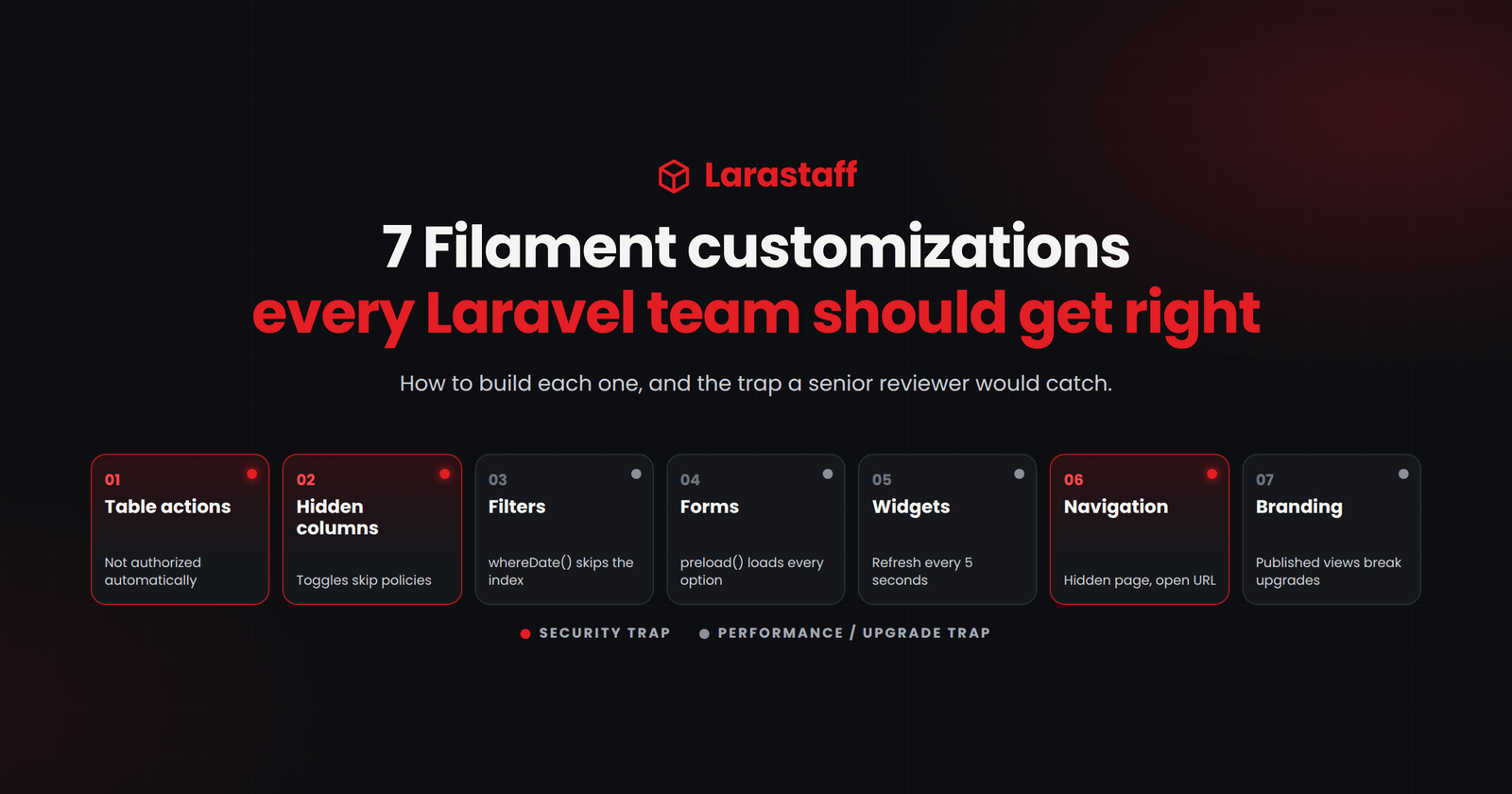
So here are seven things almost every Filament project needs. For each one, I’ll show how to build it, plus the trap I’d flag in review. The code targets Filament 4 and 5. Their APIs are the same, because Filament 5 only adds Livewire 4 support.
1. Custom Actions Aren’t Authorized for You
Approve, reject, refund, export. These are the first buttons every team adds, and they’re where I start reviewing.
Here’s the part that surprises people. Filament doesn’t check your policies for custom actions. It does that for its own create, edit, and delete pages. An action you write is open to anyone who can see the table, unless you say otherwise.
use Filament\Actions\Action;

Action::make('approveRefund')
    ->requiresConfirmation()
    ->authorize('approveRefund') // RefundPolicy::approveRefund()
    ->action(fn (Refund $record) => app(ApproveRefund::class)->handle($record, auth()->user())),
Use authorize(), not just visible(). visible() hides the button. authorize() hides it and rejects the request if someone fires the action anyway.
That difference is the one I check first in any review.
Notice what’s in that closure: one line. The refund rules live in a class, so an API endpoint, a queued job, or an artisan command all get the same behavior. Our guide on where business logic belongs in Laravel 12 covers that pattern in full.
Bulk actions need their own check, per record:
->authorizeIndividualRecords('approveRefund')
->chunkSelectedRecords(250)
The first line skips records the user can’t touch. The second stops Filament pulling thousands of models into memory when someone selects the whole table.
2. Hidden Columns Aren’t Protected Columns
“Only managers should see the margin.” Every project gets this request, and the table part is easy:
TextColumn::make('margin')
    ->money('usd')
    ->visible(fn (): bool => auth()->user()->can('viewFinancials', Order::class)),

ToggleColumn::make('is_featured')
    ->disabled(fn (): bool => ! auth()->user()->can('feature', Product::class)),
Two traps hide behind that code, and I’ve seen both ship.
Inline editable columns skip your policies. ToggleColumn, TextInputColumn, SelectColumn, and CheckboxColumn save changes without asking. They only respect disabled(). Leave that rule off, and anyone who can see the table can flip the toggle.
Edit pages send model data to the browser. Filament passes the model’s attributes to the page through Livewire. The exceptions are the ones listed in the model’s $hidden property. So hiding a form field doesn’t remove its value from that data.
So put internal costs, API keys, and anything else sensitive in $hidden. Or strip them in the page’s mutateFormDataBeforeFill() method.
Check this one today. If your panel shows supplier costs or margins, assume your whole support team can see them right now.
3. Filters That Stay Fast as Data Grows
Tables feel instant with test data. Then real data shows up, and filters are usually where it starts to hurt. I’ve fixed this one more times than any other Filament problem.
Use date ranges, not whereDate()
Write a date filter with whereDate(), and the column ends up inside a DATE() call. MySQL can’t use your index on created_at anymore. Fine at 10,000 rows. Painful at 5 million.
Filament’s own docs use whereDate() in their example, so this one is sitting in a lot of projects. A range does the same job and keeps the index:
Filter::make('created_at')
    ->schema([
        DatePicker::make('from'),
        DatePicker::make('until'),
    ])
    ->query(fn (Builder $query, array $data): Builder => $query
        ->when($data['from'], fn ($q, $date) => $q->where('created_at', '>=', Carbon::parse($date)->startOfDay()))
        ->when($data['until'], fn ($q, $date) => $q->where('created_at', '<=', Carbon::parse($date)->endOfDay()))),
Index what you filter and sort by
Status columns, dates, and foreign keys used in filters all need indexes. Filament won’t add them for you, and nothing in the UI says they’re missing.
Add them early, too. On one client panel, a summary query had no composite index on (customer_id, placed_at). It ran for over 20 minutes and held a metadata lock on the orders table.
Guess what that lock blocked? The migration that was adding the index.
Watch out for computed columns
Dot-notation columns like customer.name are eager-loaded for you. Nice.
A column that calculates its value in a closure is another story. Something like fn ($record) => $record->items->sum(‘total’) runs a query for every single row. Use the built-in aggregate instead:TextColumn::make('items_sum_total')->sum('items', 'total'),
One query for the whole page, not one per row.
The summary panel that died at 400,000 orders
Here’s one from a client’s e-commerce panel.
The orders list has a summary above it: order counts, revenue, credits, gift cards used. It recalculates on every page load, from whatever filters are active.
The original code grabbed the filtered query, ran (clone $query)->pluck(‘id’), and fed those IDs back in with whereIn(‘id’, $ids). With a date filter on, it looked fine.
Then a client cleared the date range.
The page tried to bind 400,000 placeholders and died with Filament’s generic “Error while loading page”. That’s all it took.
The fix? Stop building lists of IDs in PHP. We passed the builder itself as a SQL subquery. We rewrote the per-order PHP loops for credits and gift cards as set-based SQL. We cached the repeated exists checks that each summary method was firing on its own.
Then modifyQueryUsing(fn ($query) => $query->with([…])) on the table killed the per-row N+1, and three indexes finished the job.
My takeaway: a pluck() feeding a whereIn() is a bomb with a timer on it. It works right up until someone removes a filter.
For the rest of these checks, see our guide on catching slow Laravel code before production.
4. Forms That Open Quickly
A slow form is almost always slow for one of two reasons.
Preloaded selects. This is the usual one. ->preload() loads every option when the form opens. On a table with 50,000 customers, that’s a slow form and a huge page. Drop it, and a searchable select only fetches matches as the user types:
Select::make('customer_id')
    ->relationship('customer', 'name')
    ->searchable(),
Fields marked live(). A live() field sends a request on every change. In a text input, that means every keystroke:
TextInput::make('sku')
 ->live(onBlur: true),
Use live(onBlur: true) or live(debounce: 500) unless the form truly needs to react to each character.
And a myth worth killing: tabs don’t make a form faster. Every field in every tab is still built when the form opens. If a form drags, the fix is fewer preloaded selects and fewer live() fields, not more tabs.
5. Dashboard Widgets Quietly Hammering Your Database
This is my favorite one to find, because the numbers get silly fast.
Stats and chart widgets refresh every five seconds by default. Every open tab re-runs every widget’s queries on that schedule. Twenty staff with the dashboard open? That’s four refreshes a second, all day, even while everyone is at lunch.
Turn polling off or slow it down, then cache the numbers:
protected ?string $pollingInterval = null; // or '60s'

protected function getStats(): array
{
    $stats = Cache::remember('dashboard:order-stats', now()->addMinutes(5), fn () => [
        'pending' => Order::where('status', 'pending')->count(),
        'today' => Order::where('created_at', '>=', today())->count(),
    ]);

    return [
        Stat::make('Pending orders', $stats['pending']),
        Stat::make('Orders today', $stats['today']),
    ];
}
Do the numbers differ by user or tenant? Then put that ID in the cache key. Otherwise one customer’s figures turn up on another customer’s dashboard.
You can also hide a widget from some roles. Return false from its static canView() method.
6. Navigation Is Not Access Control
Hiding a menu item with shouldRegisterNavigation() removes the link. That’s all it does.
The page still answers at its URL. Anyone who guesses the address walks straight in.
So here’s what actually controls access.
Resources. Filament checks your model policy’s viewAny(), create(), update(), and delete() methods for you. No policy on a resource? Then every panel user can use it.
Custom pages. Add a static canAccess() method. Filament has no idea what your rules are for pages you built yourself.
Row-level access. Resources return every record by default. Should regional managers only see their own region? Scope it in the resource’s getEloquentQuery().
The panel itself. Decide who can log in at all with canAccessPanel(). If customers and staff share one User model, check the panel ID:
class User extends Authenticatable implements FilamentUser
{
    public function canAccessPanel(Panel $panel): bool
    {
        return match ($panel->getId()) {
            'admin' => $this->is_staff,
            default => false,
        };
    }
}
One more thing while you’re in there. Filament has two-factor login, with an app or an email code, and it’s off by default.
Turn it on for any panel that can move money, change orders, or edit user accounts. I wouldn’t ship a staff panel without it.
7. Branding That Survives Upgrades
Colors, logo, and favicon belong in the panel provider:
return $panel
    ->colors(['primary' => Color::Red])
    ->brandLogo(asset('images/logo.svg'))
    ->favicon(asset('favicon.png'));
Need to go deeper? Make a custom theme with php artisan make:filament-theme, then target Filament’s fi- CSS classes. Render hooks let you drop content into set spots in the layout.
What I’d avoid is publishing and editing Filament’s Blade views. Once published, a view stops getting Filament’s fixes. Every upgrade can then break it without a word. If a project already has some, keep a list, and recheck each one at every upgrade.
The Review Checklist Before Go-Live
Here’s the whole post as a list you can run through before launch. It’s also the answer when a client, an auditor, or your own board asks how admin access is controlled. Most teams can’t answer that today:
- Every custom action and bulk action uses authorize() or authorizeIndividualRecords()
- Inline editable columns have disabled() rules
- Sensitive attributes are in $hidden, or removed before the form is filled
- Every resource has a policy, and every custom page has canAccess()
- Resources needing row-level access override getEloquentQuery()
- canAccessPanel() checks the panel ID
- Two-factor login is on for staff panels
- Widget polling is set on purpose, and heavy numbers are cached
- Relationship selects on large tables are searchable, not preloaded
- Date filters use ranges, and filtered columns are indexed
- No published Filament views, or a list of them to recheck on upgrade
- Tests confirm restricted actions are hidden and forbidden, for each role
That last one matters more than it looks. Filament’s testing helpers can check that an action is hidden or forbidden for a given user. Write one test for every action that moves money, orders, or permissions.
The Panel Is Part of Your App
It’s easy to treat an admin panel as scaffolding. It isn’t. Staff change money, orders, and permissions in there, usually with fewer eyes on the code than your public pages get.
My rule: whatever you’d require on a public endpoint, require it in the panel too. A policy, a test, and an index.
Would I change any of this? If your panel has three internal users and read-only data, some of it is overkill. Start with sections 1, 2, and 6. And if you open a panel to customers, every one of the seven gets stricter, not looser.
Today, open one resource and check two things: does every custom action call authorize(), and does every inline editable column have a disabled() rule? That’s usually where the first hole turns up.
Want another pair of eyes on it? Send over one Filament resource class, minus any secrets. We’ll come back within 3 business days with the authorization gaps and slow queries we spot, and the code to close each one. No call needed. Send us a resource.
FAQ
Should we use Filament 4 or Filament 5? They have the same features. Filament 5 exists to support Livewire 4, and the team ships new features to both. Pick 5 for new projects. On an existing Filament 4 app, upgrade when you want Livewire 4, or when a package needs it. The upgrade script handles most of it.
Does Filament check my policies automatically? Only for its own resource pages: viewAny(), create(), update(), and delete(). Custom actions, custom pages, and inline editable columns are all on you. That’s sections 1, 2, and 6 of this post.
Why is my Filament table slow with a lot of records? Usually one of three things. A filter that stops the database using an index. A missing index on a filtered column. Or a column that calculates its value in a closure, which runs one query per row.
Can Filament be used for customer-facing portals? Yes, as its own panel, with its own canAccessPanel() rules, policies, and scoped queries. Sections 1, 2, and 6 matter even more there. Those users sit outside your company.
Is it safe to publish Filament’s Blade views? It works, but those views stop getting fixes from the Filament team. Upgrades can then break them without warning. Try a custom theme and render hooks first. If views are already published, keep a list and recheck it on every upgrade.
How do I stop dashboard widgets from slowing down my app? Set $pollingInterval yourself instead of leaving the five-second default. Then cache the numbers behind each widget. If the figures are per user or per tenant, put that ID in the cache key.

Larastaff
Related Articles
Laravel Performance: How to Catch Slow Code Before…
Table of contentsHide Find Risky Code in Two Minutes Set Up These Guardrails First 1.…
Laravel 12 Breaking Changes You Must Fix After…
Table of contentsHide What You Don't Need to Change Find What Affects Your App in…
Why I Still Choose Laravel in 2026, and…
Table of contentsHide What Laravel Saves You After Launch Queues and the "run twice" problem…
My developer is trying to convince me to move
to .net from PHP. I have always disliked the idea because of the costs.
But he’s tryiong none the less. I’ve been using WordPress on numerous websites for about a year
and am anxious about switching to another platform.
I have heard great things about blogengine.net. Is there a way I can transfer all my wordpress content into
it? Any help would be really appreciated!
I’d be curious to hear your developers reasons for wanting to switch from PHP to .NET. I find that often times developers will push you towards using their language stack instead of just working on the existing stack because that’s what they are used too. I’d generally advise against migration without a specific business goal.
On WordPress, WordPress has been the industry standard for blogging for around 20 years and has a powerful ecosystem of plugins, developer support, etc around it. It is also possible to migrate a wordpress blog wherever you like, however, again I’d be curious how that is going to accomplish or help your business specifically.
I’d be happy to hop on a call to discuss further.