
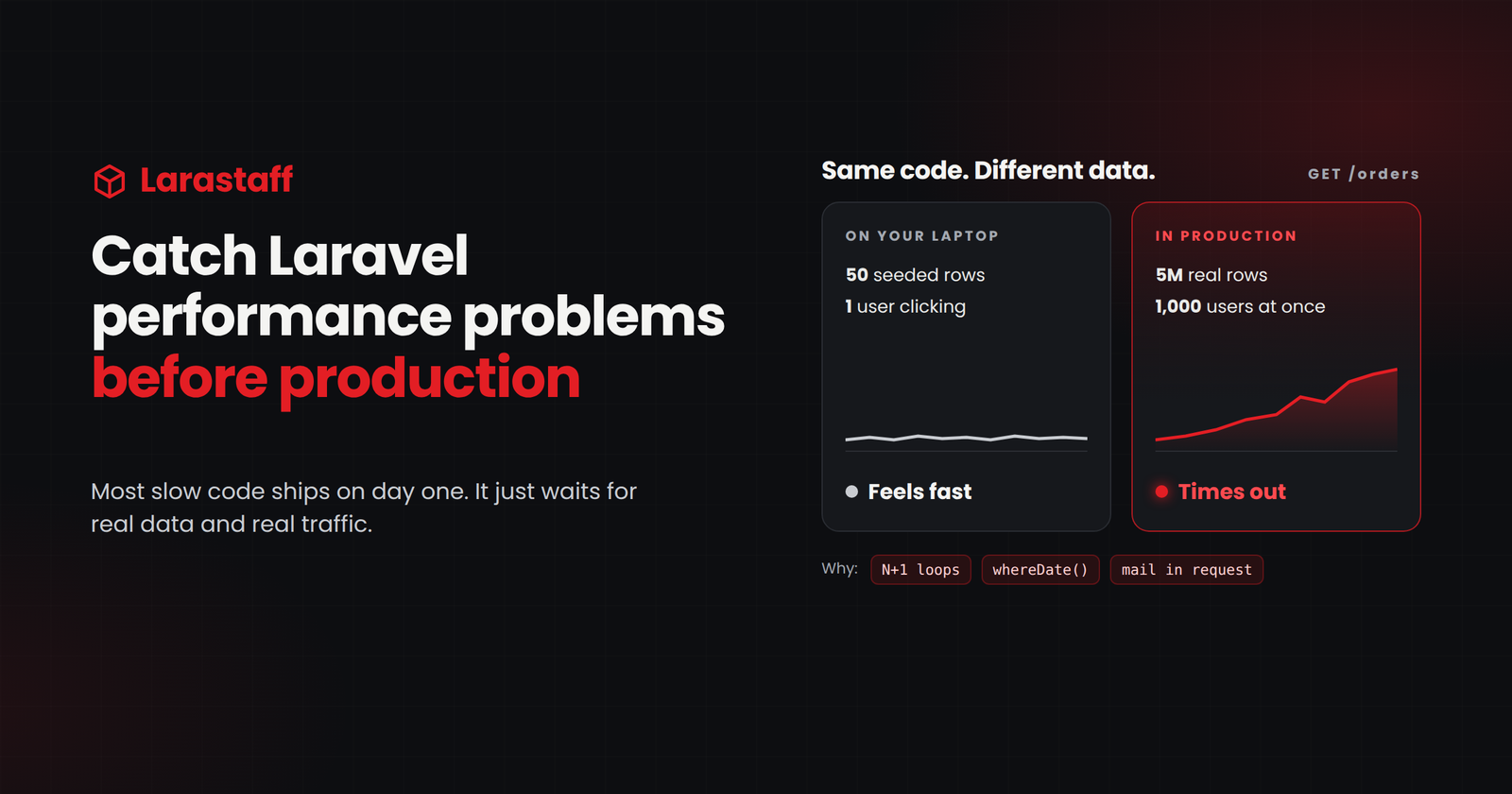
Your local database has 50 orders. Production has 500,000.
On your laptop, you’re the only user. In production, 200 people click around at the same time. That’s why so many Laravel apps feel fast in development and slow after launch.
Here’s the thing: most of that slowness was already in the code on day one. You just couldn’t see it. A report that loads each order’s customer runs 51 queries with 50 orders. It feels instant. Give it 5,000 orders, and the same code runs 5,001 queries.
When an app gets slow, a lot of teams buy a bigger server or put a cache in front of everything. I get it. It’s fast, and sometimes it’s the right short-term move. But it only hides the problem, and the bill grows with your data.
I’d rather catch slow code while I’m still writing it. So this guide covers three things. The guardrails I set up once. The patterns behind most slow Laravel apps. And how to fix each one. The examples use Laravel 12 and also work on Laravel 13.
Find Risky Code in Two Minutes
Start here. These commands show you where your app is exposed. Run them in your project’s root folder.
# Whole tables loaded into PHP memory
grep -rnE "::all\(\)|(::|->)get\(\)->(count|sum|avg|filter|where)\(" app/ resources/views/
# Date filters that can stop the database from using an index
grep -rnE "whereDate\(|whereMonth\(|whereYear\(|whereDay\(" app/
# env() outside config files (returns null after config:cache)
grep -rn "env(" app/ routes/ resources/views/
# Mail sent during the request (fine if the mailable implements ShouldQueue)
grep -rnE "Mail::to\(.*->send\(" app/
# HTTP calls with no timeout on the same line (review each one)
grep -rn "Http::" app/ | grep -v "timeout("
Don’t panic if you get a lot of matches. Many will be harmless. Save the results, and use the sections below to decide which ones matter.
Set Up These Guardrails First
If you only do one thing from this guide, do this. These lines in AppServiceProvider catch most of the problems below before they ever reach production.
use Illuminate\Database\Connection;
use Illuminate\Database\Eloquent\Model;
use Illuminate\Database\Events\QueryExecuted;
use Illuminate\Support\Facades\Cache;
use Illuminate\Support\Facades\DB;
use Illuminate\Support\Facades\Log;

public function boot(): void

{
    // 1. Lazy loading: throw in development and tests.
    //    In production, log it instead, once per model and relationship per day.
    Model::preventLazyLoading();

    if (app()->isProduction()) {
        Model::handleLazyLoadingViolationUsing(function (Model $model, string $relation) {
            $key = 'lazy-loading:'.$model::class.':'.$relation;
            if (Cache::add($key, true, now()->addDay())) {
                Log::warning('Lazy loading detected', [
                    'model' => $model::class,
                    'relation' => $relation,
                ]);
            }
        });
    }

    // 2. Warn when one request spends more than 1 second in the database.
    DB::whenQueryingForLongerThan(1000, function (Connection $connection, QueryExecuted $event) {
        Log::warning('Slow database time', [
            'total_ms' => $connection->totalQueryDuration(),
            'url' => app()->runningInConsole() ? 'console' : request()->fullUrl(),
        ]);
    });

    // 3. Log any single query slower than 500 ms.
    DB::listen(function (QueryExecuted $query) {
        if ($query->time > 500) {
            Log::warning('Slow query', ['sql' => $query->sql, 'ms' => $query->time]);
        }
    });
}
A few notes on this code.
Lazy loading prevention only fires when the model came from a collection. If you load one order and then its customer, Laravel allows it. That’s a single extra query, so it’s not worth an error.
Why the once-a-day cache key? Because one bad page can be opened thousands of times a day. Without it, your logs fill up fast.
The 1-second and 500 ms limits are just starting points. Once the obvious problems are gone, lower them.
Already using Laravel Pulse or Nightwatch? Great, they record slow queries and requests for you. I’d still keep the lazy loading exception. Monitoring tells you about a problem after it ships. The exception stops it from shipping at all.
1. N+1 Queries
With the guardrails in place, let’s look at what they catch. We’ll start with the big one. N+1 queries are still the most common reason a Laravel page slows down as data grows.
The pattern is easy to write by accident. The page runs one query for the list, then one more for every row. Open Debugbar or Telescope, and you’ll see the same query repeated over and over with a different ID.
$orders = Order::latest()->paginate(50);

@foreach ($orders as $order)
    {{ $order->customer->name }}      {{-- 1 query per row --}}
    {{ $order->items->count() }}      {{-- another query per row --}
@endforeach

{{-- 50 rows = 101 queries --}}
With five test orders, this page runs 11 queries. It loads in milliseconds, and nobody thinks twice. Then production fills up with real data.
The fix is to load what the page needs up front. Use with() for relationships and withCount() for counts:
$orders = Order::with('customer')
    ->withCount('items')
    ->latest()
    ->paginate(50);

// Blade: {{ $order->items_count }}
// 50 rows = 3 queries
withSum(), withAvg(), and withExists() work the same way.
We saw how much this matters on a client project with a lot of reports and CSV exports. Many of those reports looped over records and loaded related data one row at a time. With real data, every report and every export fired a flood of queries. We went through them one by one and moved the related data into with() and withCount(). Most of the slow reports got fast again, without touching the servers.
Watch out for two traps:
- If you use select() to limit columns, keep the foreign key. Without customer_id, with(‘customer’) can’t match anything, and every customer comes back null.
- In API Resources, wrap relationships in $this->whenLoaded(‘customer’). Then a resource can’t quietly trigger a query per item.
What about automatic eager loading?
You might be wondering if Laravel can do this for you. Since Laravel 12.8, it can, with Model::automaticallyEagerLoadRelationships(). Access a relationship on one model in a collection, and Laravel loads it for the whole collection.
It’s a nice safety net for an older codebase full of N+1 problems. For new code, I still write with() by hand. The next developer can see exactly what the page loads.
There’s a catch, too. With the global setting on, lazy loading prevention has almost nothing left to report. You lose your early warning about pages that load more than they need.
2. Queries That Can’t Use an Index
Fixing N+1 means fewer queries. But sometimes one query is slow on its own, because the database reads the whole table to answer it.
You’ll spot it in two ways. A report gets slower every month, and nobody touched the code. Or page 1 is fast, and page 500 takes forever.
The usual culprits
An index lets the database jump straight to the rows it wants. Some everyday Laravel code quietly blocks that. whereDate() is the classic:
// Wraps the column in a date function, so a normal index on created_at isn't used
Order::whereDate('created_at', today())->get();

// A range can use the index
Order::whereBetween('created_at', [today(), today()->endOfDay()])->get();
whereMonth() and whereYear() do the same. Swap them for a date range.
Three more to watch for:
- Search with LIKE ‘%term%’. That leading % rules out a normal index. On big tables, use whereFullText() or Laravel Scout.
- No index at all. Boring, but common. Check foreign keys, status columns, and tenant IDs first.
- Deep offset pagination. To show page 500, the database reads every earlier row, then throws it away.
Check what the database is doing
Don’t guess here. Ask Laravel for the query plan:
Order::where('status', 'pending')->latest()->explain()->dd();Look for type: ALL (MySQL) or Seq Scan (PostgreSQL). On a big table, that’s a full scan. Time for an index.
Build it around how the page filters and sorts. For “pending orders for this account, newest first”:
$table->index(['account_id', 'status', 'created_at']);Column order matters. Exact matches first, the sort column last.
And those deep pages? cursorPaginate() stays fast however far you scroll. No total page count on screen? Use simplePaginate(). It skips the COUNT(*), which is often the slowest query on the page.
3. Loading Too Much Data Into Memory
Sometimes the database is fast, and PHP is the one struggling. You’ll know this one when you see it:
Allowed memory size of 134217728 bytes exhausted
It usually hits an export, a report, or a scheduled command that ran fine last year.
The cause is almost always Model::all() or ->get() doing work the database should do. Both pull every matching row into PHP as a full Eloquent model. With 200 rows, no problem. With 2 million, the process dies.
// Loads every order into memory just to count or filter them
$total = Order::all()->count();
$pending = Order::get()->where('status', 'pending');

// Lets the database do the work
$total = Order::count();
$pending = Order::where('status', 'pending')->get();
My rule is simple. Let the database count, sum, and filter. Only pull rows into PHP when you actually need the rows.
For big exports and batch jobs, work in pieces:
Order::where('status', 'pending')->chunkById(1000, function ($orders) {
foreach ($orders as $order) {
        // ...
    }
});

// Or loop with low memory use
foreach (Order::where('status', 'pending')->lazyById(1000) as $order) {
    // ...
}
CSV exports often have both problems at once: too much data and a query per row. The good news is that eager loading works inside chunks. Each batch of 1,000 rows loads its customers in one extra query:
// $csv is a league/csv Writer
Order::with('customer')->chunkById(1000, function ($orders) use ($csv) {
    foreach ($orders as $order) {
        $csv->insertOne([$order->id, $order->customer->name, $order->total]);
    }
});
One warning. If your loop updates the column you filter on, use chunkById(), not chunk(). chunk() works with offsets, and when rows change underneath it, it skips records without telling you.
4. Caching That Helps, and Caching That Hurts
So far, we’ve made queries faster. Caching skips some of them entirely. When it works, it’s great. When it doesn’t, the bugs are weird, because the app looks fine most of the time.
The dashboard that’s slow every few minutes
Fast all day, then someone waits five seconds. Sound familiar?
That’s usually Cache::remember(). When the cache runs out, the next visitor pays for the rebuild. On a busy page, a few visitors pay at once.
If the data can be a little stale, I use Cache::flexible() (Laravel 11.23+). It serves the old value and refreshes in the background:
// Fresh for 5 minutes, then served stale for up to 30 minutes while it refreshes
$report = Cache::flexible("reports.revenue.{$accountId}", [300, 1800], fn () =>
    Revenue::forAccount($accountId)->summary()
);
Everyone sees the same numbers
Cache the dashboard as dashboard.stats, and every user sees whatever the first user loaded. Not great.
Put the user or account ID in the key. And when the data changes, clear the cache yourself, for example in a model observer.
Use Redis for anything busy
New Laravel apps keep cache, sessions, and queues in the database. On a busy app, that’s more load on the database you’re trying to protect.
Files aren’t much safer. On one of our projects, an OTP rate limiter used the file cache. Some cache files ended up owned by the wrong system user, and the limiter broke. We fixed the permissions, and I’ve preferred Redis ever since.
Why env() returns null in production
Once you run php artisan config:cache, Laravel stops reading .env. Any env() call outside config/ now returns null. Your laptop doesn’t cache config, so you never see it there.
The rule: env() only in config files, config() everywhere else.
It bites the other way too. On one of our AWS projects, we changed .env and Laravel kept the old value, more than once. Now it’s a habit: change .env, run config:cache again.
5. Slow Work Inside the Request
Caching makes repeated work cheaper. But some work shouldn’t happen while the user waits at all.
Think about emails, PDFs, exports, and calls to other APIs. None of them need to finish before the page loads. Yet every second they take is a second your user sits and stares at a spinner.
Slow APIs are sneakier than they look. Laravel’s HTTP client waits up to 30 seconds by default. While it waits, that PHP worker can’t help anyone else. Get a few slow calls at once, and every worker on the server is stuck. To your users, the whole site looks down.
Queue it
Emails, exports, PDFs, webhooks, and image processing belong in jobs. Mailables and notifications should implement ShouldQueue.
Here’s a real one. On a client e-commerce project, creating a shipping label takes two ShipStation API calls: create the shipment, then buy the label. We run them as two chained queued jobs. Checkout never waits on ShipStation. And if buying the label fails, only that job retries, so the shipment isn’t created twice.
Set timeouts on everything else
Some calls have to stay in the request. Give them a short, explicit timeout:
Http::timeout(5)
    ->connectTimeout(2)
    ->retry(2, 200)
    ->post($url, $payload);
For quick tasks like logging or analytics, defer() (Laravel 11.23+) runs the work after the response is sent. It still runs in the same PHP process, though. Anything heavy belongs in a queue.
Check your queue settings
Three settings trip people up in production:
- QUEUE_CONNECTION=sync means your “queued” jobs run inside the request. Queueing does nothing.
- A job’s timeout should be lower than the connection’s retry_after. If it isn’t, a long job goes back on the queue while it’s still running, and it runs twice.
- Workers keep old code in memory. Restart them on every deploy with php artisan queue:restart, or php artisan horizon:terminate if you use Horizon.
6. Production Settings That Slow Down Every Request
Once the code is in good shape, look at the server. Sometimes every page is a little slow, and there’s no bad query to blame.
When that happens, check these three things.
Install and cache for production
On the server, install like this:
composer install --no-dev --optimize-autoloader
Dev tools like Debugbar stay off the server, and PHP finds your classes faster.
Then run this on every deploy:
php artisan optimize
It caches your config, routes, events, and views. (Yes, that’s the config cache from section 4, so the env() rule applies.)
Turn on OPcache
Without OPcache, PHP recompiles your code on every request. Turning it on is one of the easiest wins you’ll get.
Want a bit more? Set opcache.validate_timestamps=0, and PHP stops checking for changed files. Just reload PHP-FPM on every deploy, or the server keeps running old code.
Keep Telescope quiet
Outside local, Telescope only records the important stuff by default, like failed requests, exceptions, failed jobs, and scheduled tasks. Leave it that way. If it records everything, every request writes extra rows to your database.
And schedule php artisan telescope:prune, so those tables don’t grow forever.
7. Test Performance Before You Deploy
That’s six sections of things to remember on every pull request. So don’t try to. Let your tests remember them for you.
Test with real-sized data
Remember those 50 orders from the start? Ten rows won’t show you an N+1 problem. Neither will fifty.
Use a staging copy, or a seeder that fills your tables to production size. Seeding a hundred thousand orders takes a while. It’s worth it.
Fail the build when queries grow
This is my favorite test for N+1 problems. Load the page with a few orders. Add more. Load it again. The query count should stay the same:
public function test_orders_page_query_count_does_not_grow_with_data(): void
{
    $user = User::factory()->create();
    Order::factory()->count(3)->create();

    DB::enableQueryLog();
    $this->actingAs($user)->get('/orders')->assertOk();
    $withFewRows = count(DB::getQueryLog());

    Order::factory()->count(30)->create();
    DB::flushQueryLog();
    $this->actingAs($user)->get('/orders')->assertOk();

    $this->assertSame($withFewRows, count(DB::getQueryLog()));
}
If someone adds a lazy-loaded relationship later, the second count goes up, and CI catches it.
Want an exact number instead? Call expectsDatabaseQueryCount() right before the request. The test fails if the page runs a different number of queries.
The right tool for each stage
- Your machine: Debugbar or Telescope
- Your tests: lazy loading prevention and a query count test or two
- Production: Pulse (free, self-hosted) or Nightwatch (hosted), for slow requests, queries, and jobs from real traffic
Before Every Release
Here’s everything above, squeezed into a list you can check before you merge:
- New list pages and endpoints load relationships with with() and withCount()
- New queries on large tables were checked with explain()
- New where and orderBy columns have indexes
- No ::all() or ->get() followed by counting or filtering in PHP
- Large exports and batch jobs use chunkById() or lazyById()
- Emails, exports, and API calls are queued, or have timeouts
- No env() calls outside config/
- The deploy runs composer install –no-dev –optimize-autoloader and php artisan optimize, and restarts queue workers
- Tests pass with lazy loading prevention on
Slow Code Is Cheapest to Fix Before It Ships
Laravel itself is rarely the problem. Most slow Laravel apps come down to a handful of patterns. Queries in loops. Queries that can’t use an index. Too much data in memory. Work that should happen after the response. They all look harmless with test data.
Fix those, and you often don’t need that bigger server.
Two things would change how I set this up. If automatic eager loading ever becomes Laravel’s default, the lazy loading exception matters less, and query count tests become your main warning. And on apps with very heavy traffic, I’d add real monitoring like Pulse or Nightwatch from day one, alongside the log warnings.
Want to start today? Run the two-minute search, add the guardrails to AppServiceProvider, and run your tests. Whatever breaks now is a problem your users will never see.
Stuck on a slow page right now? We’d be happy to take a look. Just tell us which page or endpoint it is, and what slow means for you, like “the orders page takes 6 seconds.” Within 3 business days, we’ll send back the most likely causes and how to check each one. No sales call, just a second pair of eyes. Send us your slow page.
Still on Laravel 10 or 11? Start with our Laravel 10 to 12 upgrade guide. And if you’re wondering why we still build on Laravel at all, read why we still choose Laravel.
FAQ
Why is my Laravel app fast locally but slow in production? Your local database is small, and you’re usually the only user. N+1 queries, missing indexes, and loading whole tables cost almost nothing with test data. With real data and real traffic, the same code slows down.
How do I find N+1 queries in Laravel? Turn on Model::preventLazyLoading(). It throws an exception when a collection lazy-loads a relationship. Debugbar and Telescope also show repeated queries. In CI, a test that compares query counts at two data sizes catches them before release.
Should I use Model::automaticallyEagerLoadRelationships()? It’s a good safety net for an older app with lots of N+1 problems. For new code, I prefer writing with() by hand, so it’s clear what each page loads. Keep in mind that with the global setting on, lazy loading prevention stops warning you.
Why does env() return null in production? After php artisan config:cache, Laravel stops reading the .env file. Any env() call outside a config file then returns null. Read the value in a config file, and use config() everywhere else.
Is whereDate() slow in Laravel? On large tables, it can be. It wraps the column in a date function, so the database usually can’t use a normal index. Use whereBetween() with the start and end of the day instead.
What should I use to monitor Laravel performance in production? Laravel Pulse is free and self-hosted. Nightwatch is Laravel’s hosted option. Both show slow requests, queries, and jobs from real traffic. Keep the lazy loading guardrail too, because it catches problems before they ship.

Larastaff
Related Articles

7 Filament Customizations Every Laravel Team Should Get…
Table of contentsHide 1. Custom Actions Aren't Authorized for You 2. Hidden Columns Aren't Protected…

Laravel 12 Breaking Changes You Must Fix After…
Table of contentsHide What You Don't Need to Change Find What Affects Your App in…

Upgrading Laravel 10 to 12: What Actually Breaks…
Table of contentsHide Why Laravel Upgrades Matter The safest Laravel 10 to 12 upgrade path…
Leave a Comment